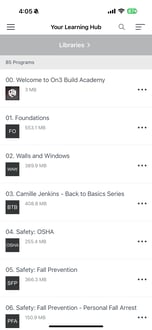
This shows a step-by-step guide on how to start your Learning Journey.
Logging in to your On3 Learn App:
Logging in to your On3 Learn App:
- Install and open using an iOS or Android mobile app.
App Store for iOS 12.0 or later, macOS 11 or later
Google Play for Android 5.0 or later - There are three main ways to log in to your On3 account:
| 1. Email Address and Password |
log in using the email address and password assigned to you by your Organization |
| 2. Self Registration | log in using a registration code provided by your Organization on the sign-in page |
| 3. Self Enrollment | the learning program will be determined based on your answers to the self-enrollment questions when signing in |
Once signed in, you can see your Learning Journey – a list of required courses, and activities you need to complete in a given time. The landing page after signing in is the home page. The bottom half of the program’s home screen displays the current learning journey step.
You can jump directly to the current step from the home screen to start!