
Flashcards are a powerful tool for strengthening memory and checking your understanding. By grading your own work, you practice self-reflection—one of the most effective ways to deepen learning.
In the On3 Learn App, flashcards help you engage in active recall, training your brain to remember terms, concepts, and processes without needing context clues. This method significantly improves retention and long-term understanding.
How to Use Flashcards in On3
Follow the steps below to get the most out of your flashcard decks.
1. Review the Help Screen
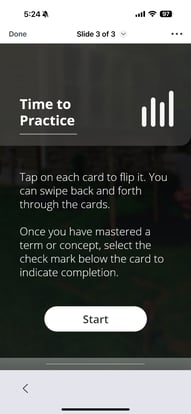
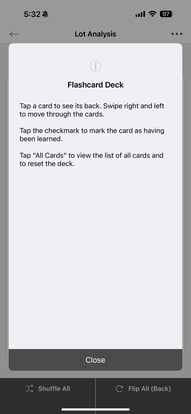
Each deck includes a basic help screen that explains how flashcards work. Reviewing this will give you a quick overview of available features.
2. Flip Cards to See Answers
-
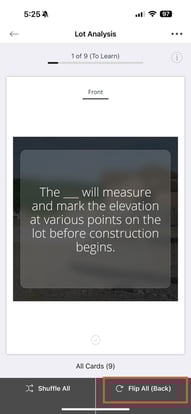
Each card contains a question, concept, or process learning check.
-
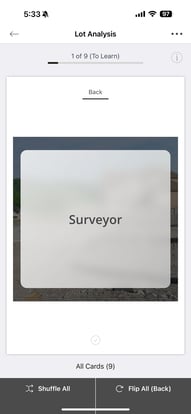
Tap “Flip Back” to view the correct answer on the other side.
This helps reinforce your understanding and identify gaps.
3. Shuffle to Increase Challenge
You can shuffle the deck anytime to randomize the cards. This prevents memorizing cards by order and strengthens real understanding.
.jpg?width=191&height=415&name=IMG_5995%20(1).jpg)
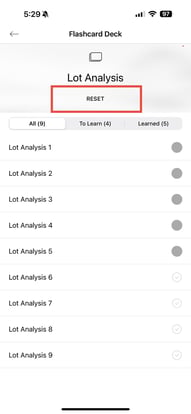
4. Reset a Deck Anytime
You can return to any flashcard deck and reset it when needed.
Resetting allows you to:
-
Relearn the content
-
Practice active recall repeatedly
-
Strengthen your mastery
-
Prepare for assessments or real-world application
Repeating the deck builds long-term retention—helping you become an expert on the topic.