
Module Navigation
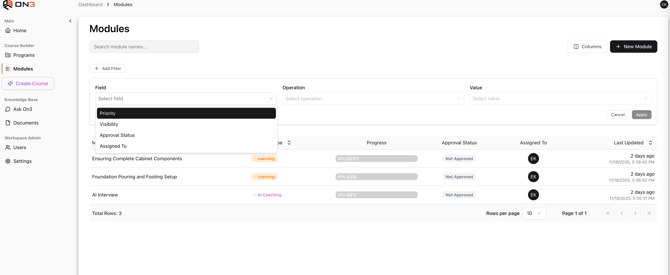
The module navigation view presents all modules inside Content Connect in a simple table format. This layout allows you to quickly browse, filter, and locate modules that require review, editing, or approval.
1. Table Navigation
The module list displays modules in a paginated table.
Pagination Controls
At the bottom of the table, you can:
-
Move forward or backward between pages
-
Jump through modules using the page selector
-
Adjust results per page to show more or fewer items
These controls make it easy to navigate large collections of modules.
2. Searching for Modules
A built-in search field allows you to quickly find modules.
Search Options
You can search by:
-
Module title
-
Partial title keywords
Search updates results instantly based on your input.