
Version 2.2.1 — Released January 15, 2026
This release introduces expanded administrative capabilities, cross-workspace controls, and meaningful usability improvements across content creation, navigation, and AskOn3.
Highlights
-
Business Unit Admin Role (New)
Added full support for the Business Unit Admin role, allowing designated users to log in with a single set of credentials and oversee their entire organization across multiple workspaces.
Business Unit Admins gain centralized visibility and control without switching accounts.
Contact your On3 account manager for help setting this up. -
Cross-Workspace User Management
View users across workspaces and move users between workspaces directly, simplifying administration for organizations managing multiple teams or regions. -
Cross-Workspace Document Management
Upload documents into multiple workspaces or select a target workspace at upload time.
Copy or move documents between workspaces directly from the Documents section of the app.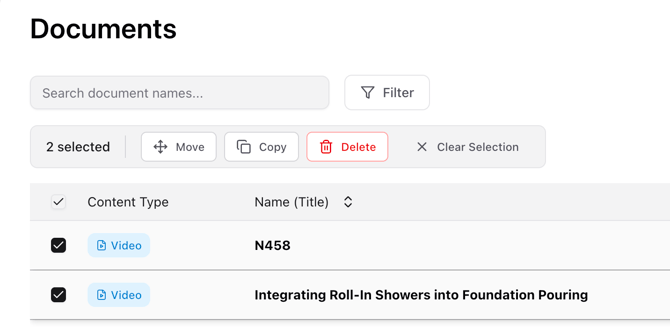
-
AskOn3 Workspace Targeting
AskOn3 can now query documents by selecting a target workspace, enabling cross-workspace knowledge access without switching credentials. -
Bulk Document Uploads
Upload up to 10 documents at a time, accelerating content ingestion for large document sets.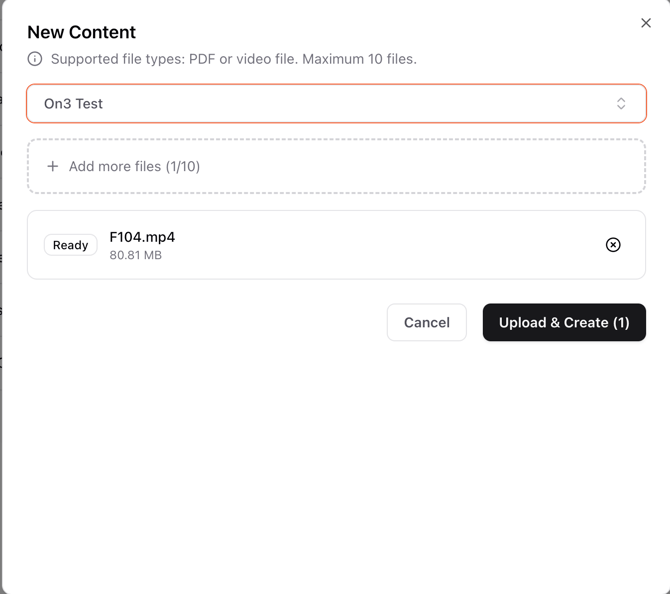
-
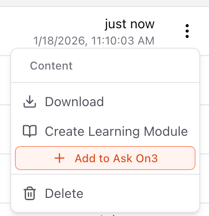
Centralized Learning Module Creation
From the Documents section, click the three vertical dots and select “Create Learning Module” to build structured learning content directly from documents in one centralized workflow.
-
Improved Filtering Experience
Filtering controls across Users, Modules, and Programs have been redesigned to be more intuitive and easier to use.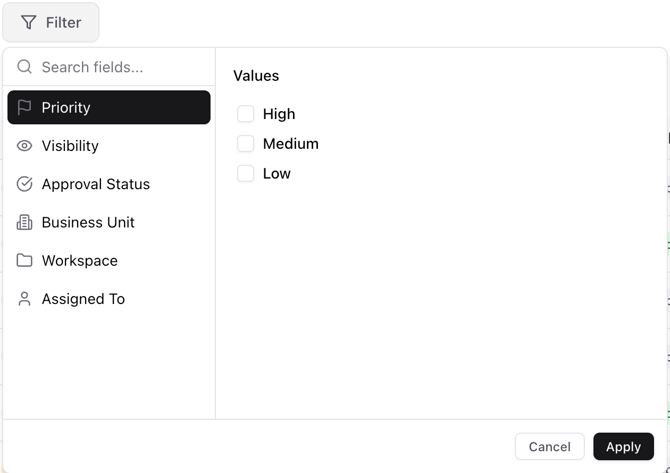
-
Optimized Content Ingestion & Image Selection
AI image selection for primers has been optimized with an improved algorithm, reducing manual adjustments during content creation. -
Refined AI Content Generation
Content generated from videos and documents is now more focused and better aligned to key learning points, resulting in clearer, more concise learning outputs. -
Enhanced Module Editor (Image + Video Controls)
Primer and image management is now significantly easier with the introduction of image and video controls directly within the Module Editor.
A new image slide gallery allows authors to preview available frames, select or capture images directly from video, and assign visuals while editing primers—making it faster to create high-quality, visually supported learning content.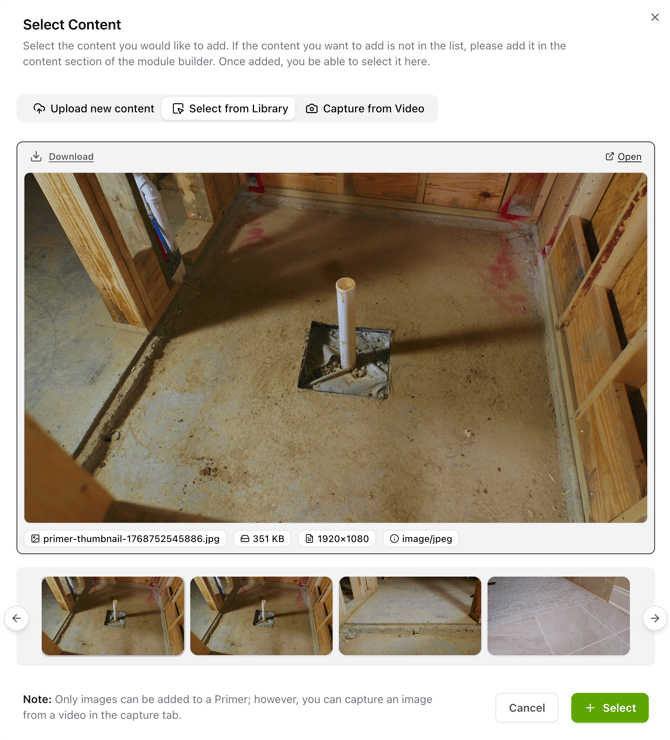
-
Activity History (New)
Introduced Activity History, giving editors and workspace administrators a centralized view of content creation activity across the workspace.This makes it easier to understand what is in progress, what has completed successfully, and where content generation may have stalled—especially for workflows that take longer to process.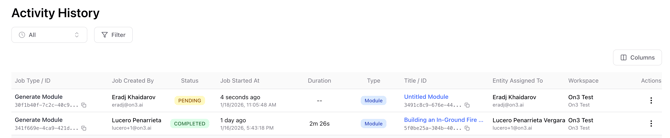
-
Individual users can track their own requests and actions by visiting My Current Activity, providing transparency and collaboration across teams.