
On3 Learn provides powerful reporting tools that allow administrators to track assigned training, monitor due dates, and evaluate learner completion. Using the Due Dates report in the Analytics tab, you can gain clear visibility into training progress across your enrollments.
This guide walks you through how to access, filter, and export assigned training reports.
How to Access Assigned Training Reports
-
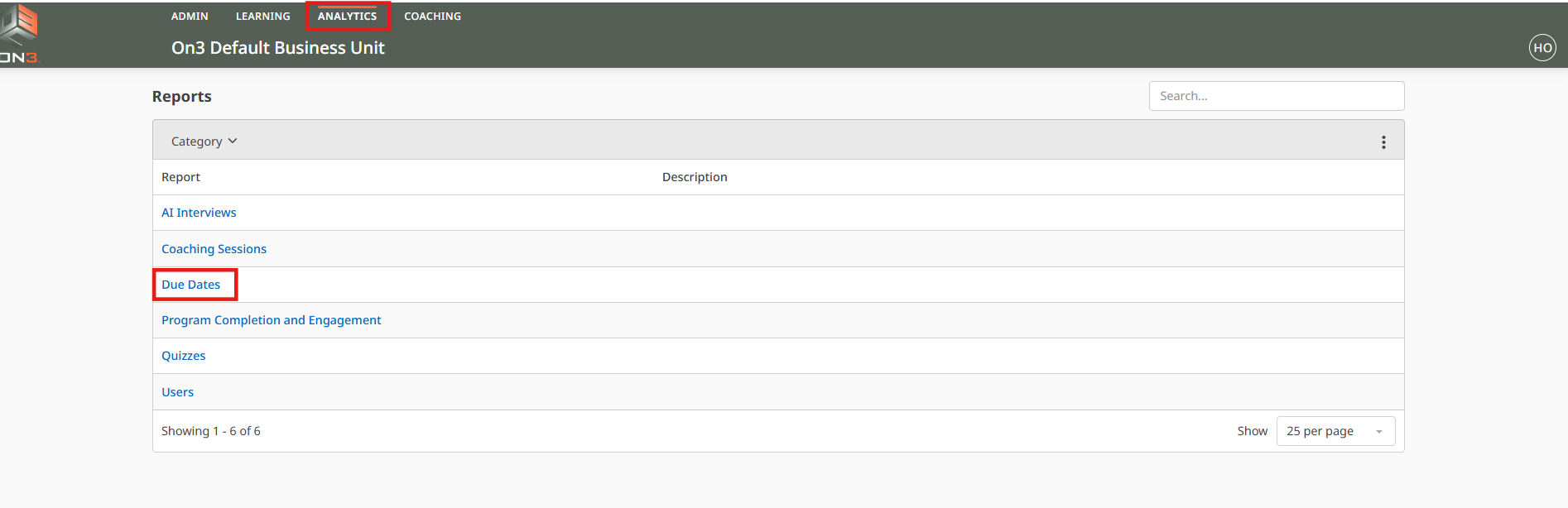
Log in to On3 Learn using your Admin username and password.
-
Navigate to the Analytics tab.
-
Select Due Dates.
Understanding the Due Dates Landing Page
On the Due Dates landing page, you will see:
-
All users within the enrollments you manage
-
All programs those users are enrolled in
-
Assigned due dates and completion status
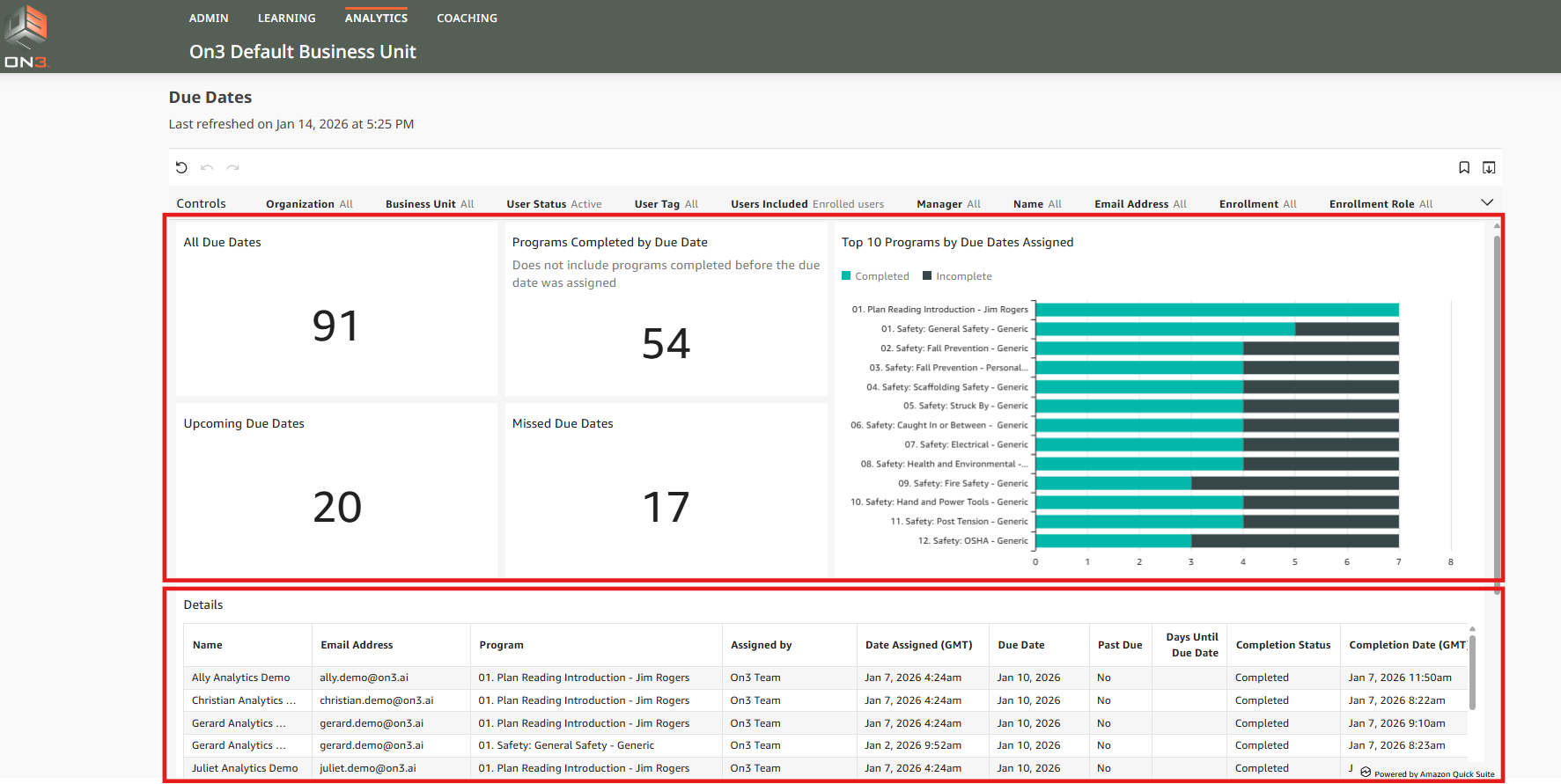
This page provides both a summary view and detailed reporting data.
Using Filter Controls
To refine your report results:
-
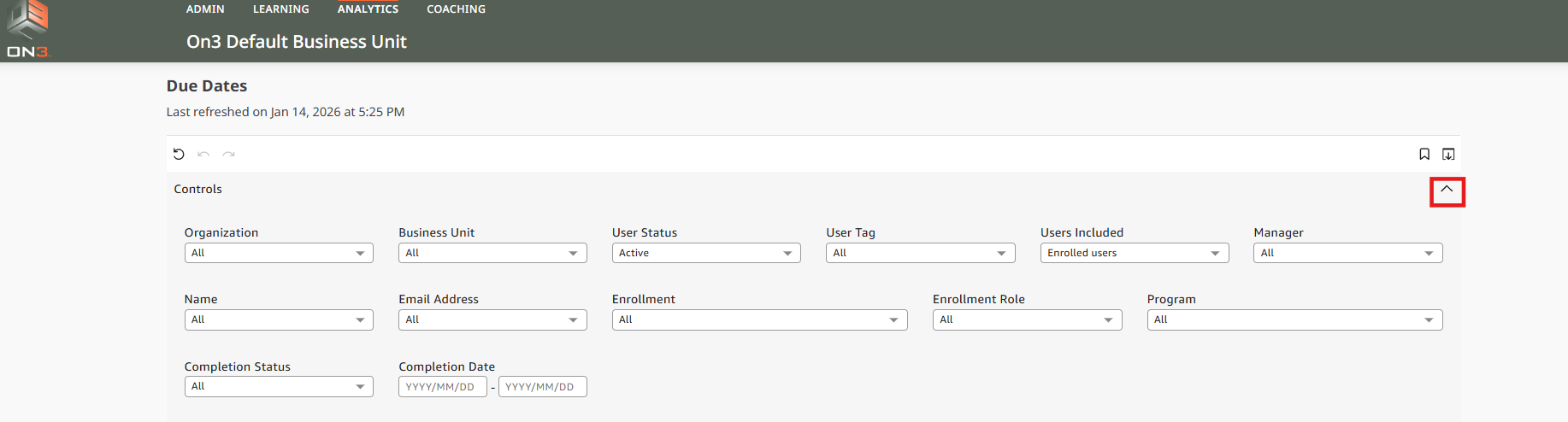
Click the arrow located at the upper-right corner of the data box to show Filter Controls.
-
Apply filters based on your reporting needs.
Available Filters Include:
-
User Status (Active, Inactive, or Both)
-
User Tags (if tags are assigned)
-
Manager
-
Learner Name
-
Email Address
-
Enrollment (if you manage multiple enrollments)
-
Enrollment Role
-
Programs
-
Completion Status
-
Completion Date
Filters allow you to narrow reports to specific learners, programs, or compliance requirements.
Viewing Summary Metrics
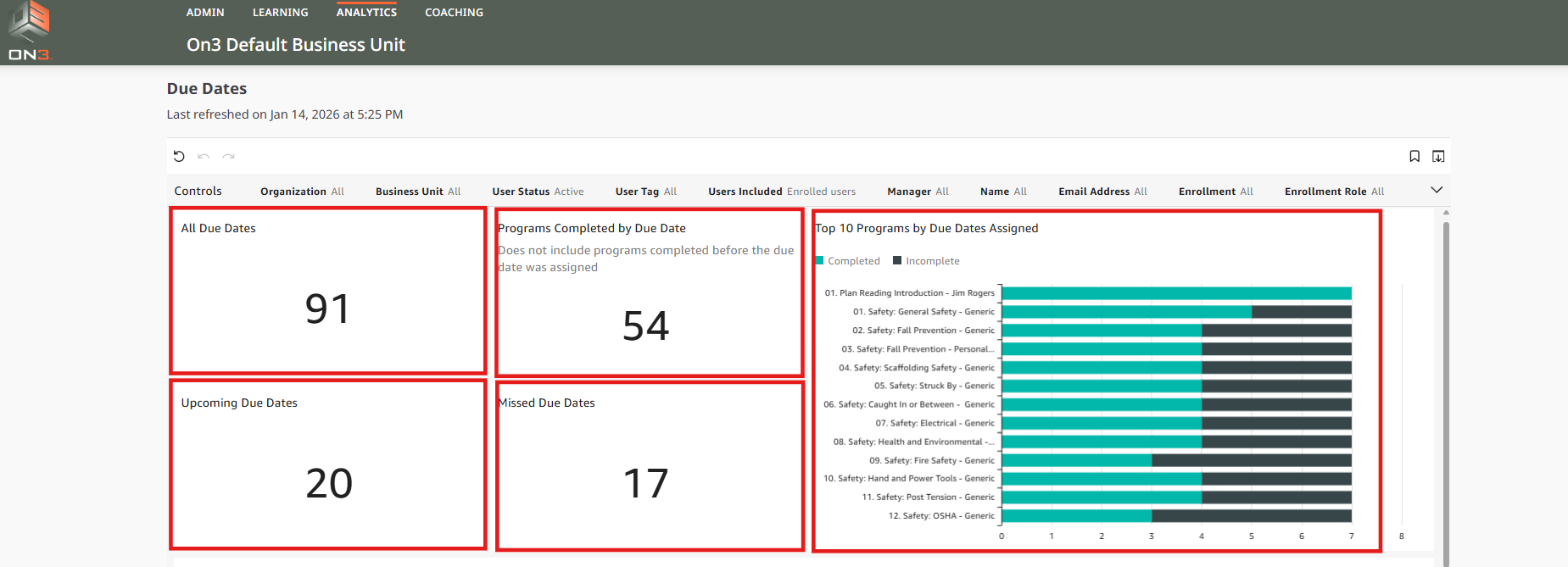
At the top of the Due Dates page, you will see a summary that includes:
-
All Due Dates
-
Upcoming Due Dates
-
Missed Due Dates
-
Programs Completed by Due Date
-
A bar graph showing Complete vs. Incomplete status per program
These visuals provide a quick snapshot of training performance and compliance.
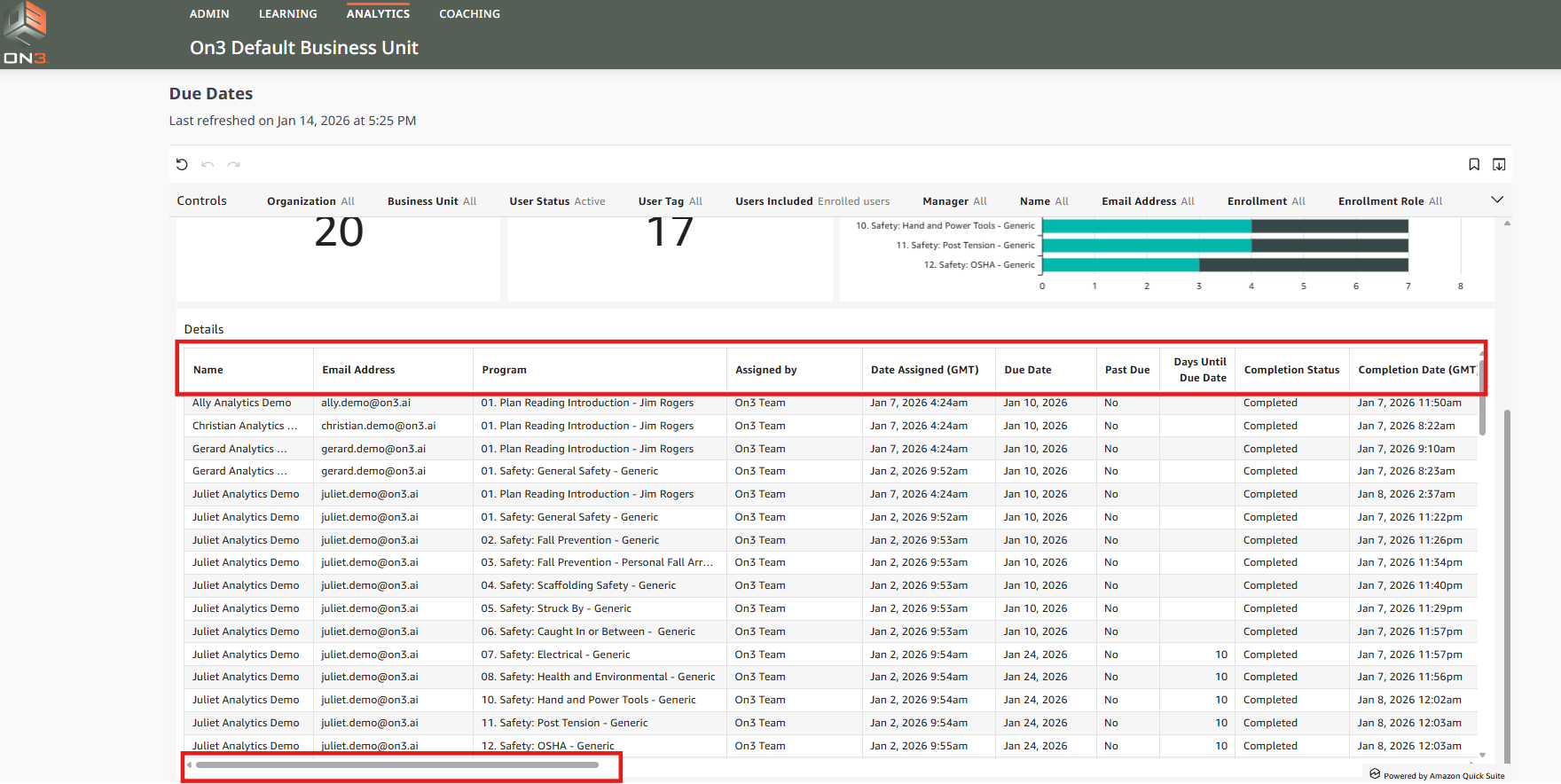
Reviewing Detailed Report Data
Below the summary section is a detailed table showing:
-
Learner information
-
Program name
-
Assigned due date
-
Completion status
Additional data fields are available in the Details section.
To view them, drag the horizontal scroll bar from left to right.
Exporting Reports
If you need to analyze data outside of On3 Learn:
-
You can export the Details section
-
Available formats include CSV or Excel
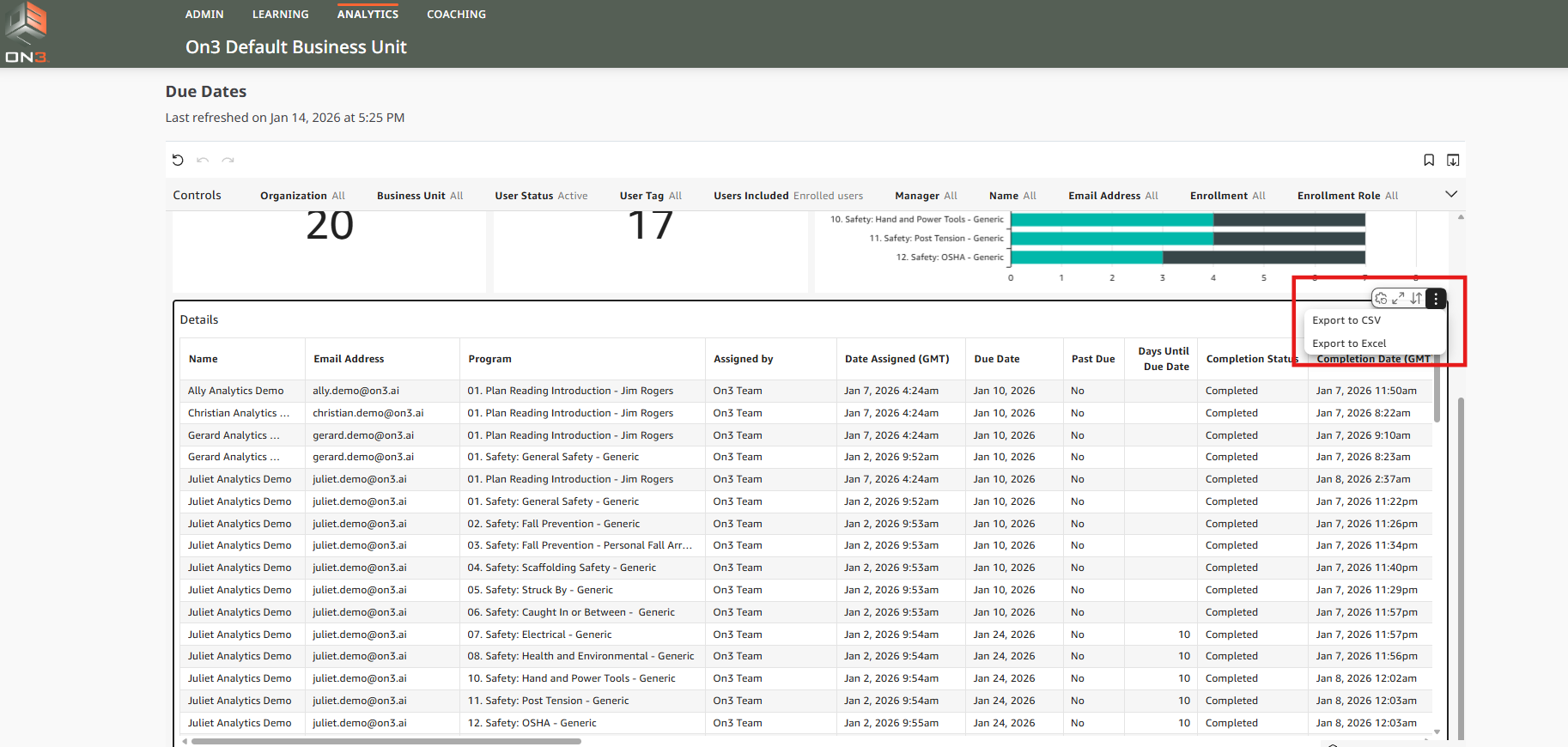
This allows you to customize views, share reports, or perform further analysis.
Summary
The Due Dates report in On3 Learn helps administrators:
-
Monitor assigned training
-
Track upcoming and missed deadlines
-
Measure compliance and completion
-
Export data for reporting and audits
Using filters and exports ensures you have the exact insights you need to manage learning effectively.